Time tracking is here (in beta)
Track time with a timer or by hand, see your week on a timeline, and turn unbilled hours into a draft invoice with the timesheet attached. Now in beta.
Published on
Written by

Balint Bogdan
Time tracking is in beta
If you bill by the hour, the invoice is only as good as your timesheet. Until now that meant a separate tracker, an export, and retyping hours into Brisk.
So we built the Tracker. Track time where you invoice, see where your week went, and bill the hours from the same place. It's open now, in beta.
Start a timer, or add hours by hand
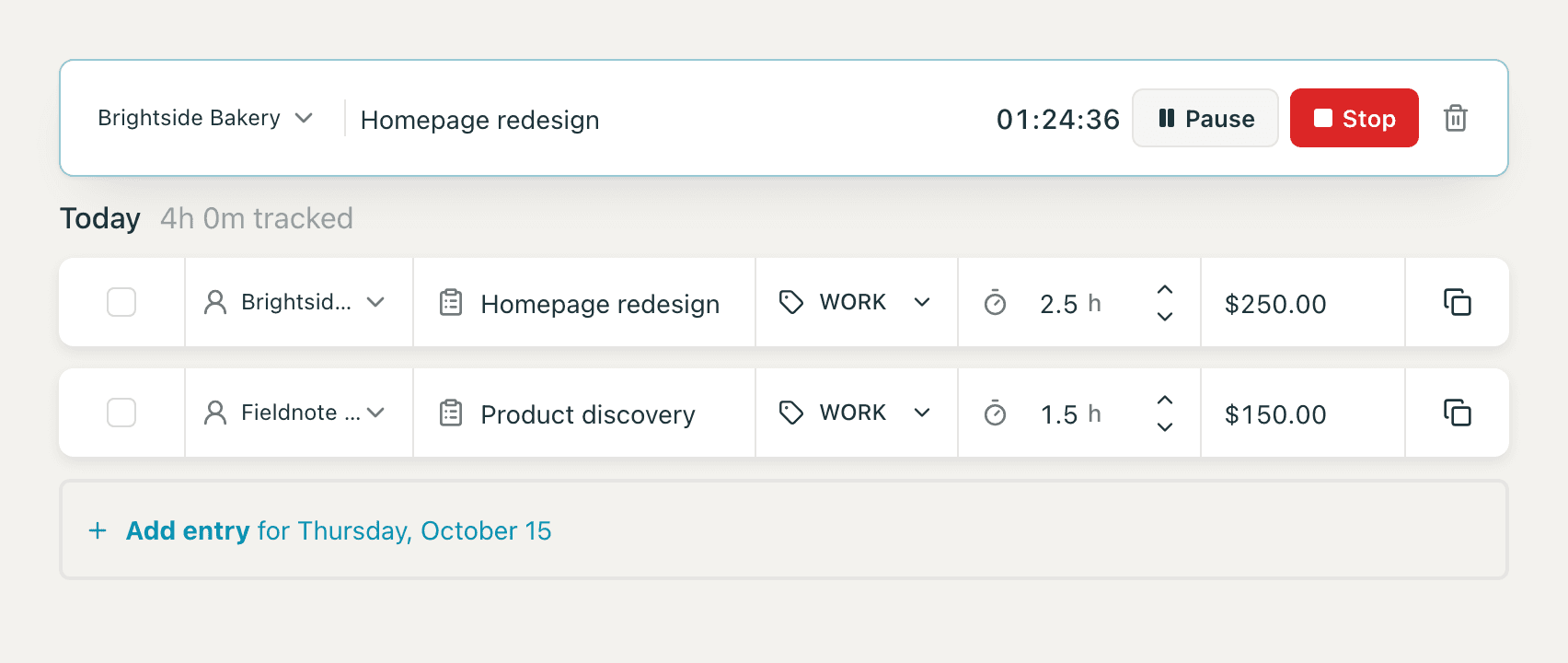
Pick a client, type what you're working on, and press Start. Pause when you step away and stop when you're done. The timer keeps running if you close the tab.
Forgot to start it? Switch to Manual and add the hours, or drag across the timeline to log a block. Every entry has a client, a task, a type (Work, Meeting, or Admin), hours, and a rate you can edit.
See your day, week, or month
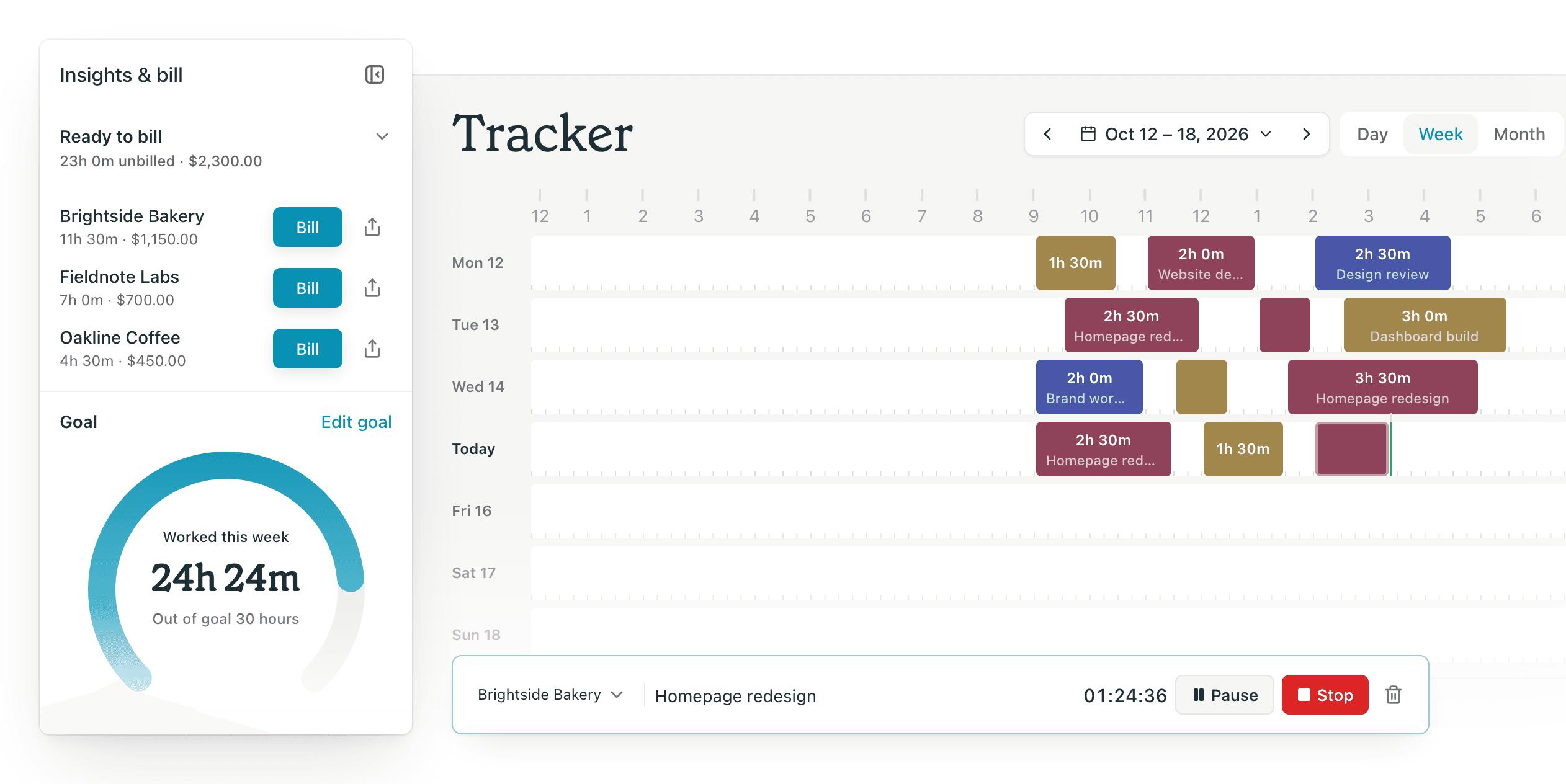
Every entry lands on a timeline, colored by client. Switch between Day, Week, and Month, filter by client, and move or resize blocks when plans change.
A daily goal you can see
Set a daily hours goal. The gauge fills as you work, next to your estimated earnings and how your time splits across clients. On busy days it tells you when to stop. On slow ones it tells you why the month feels short.
Bill in a click
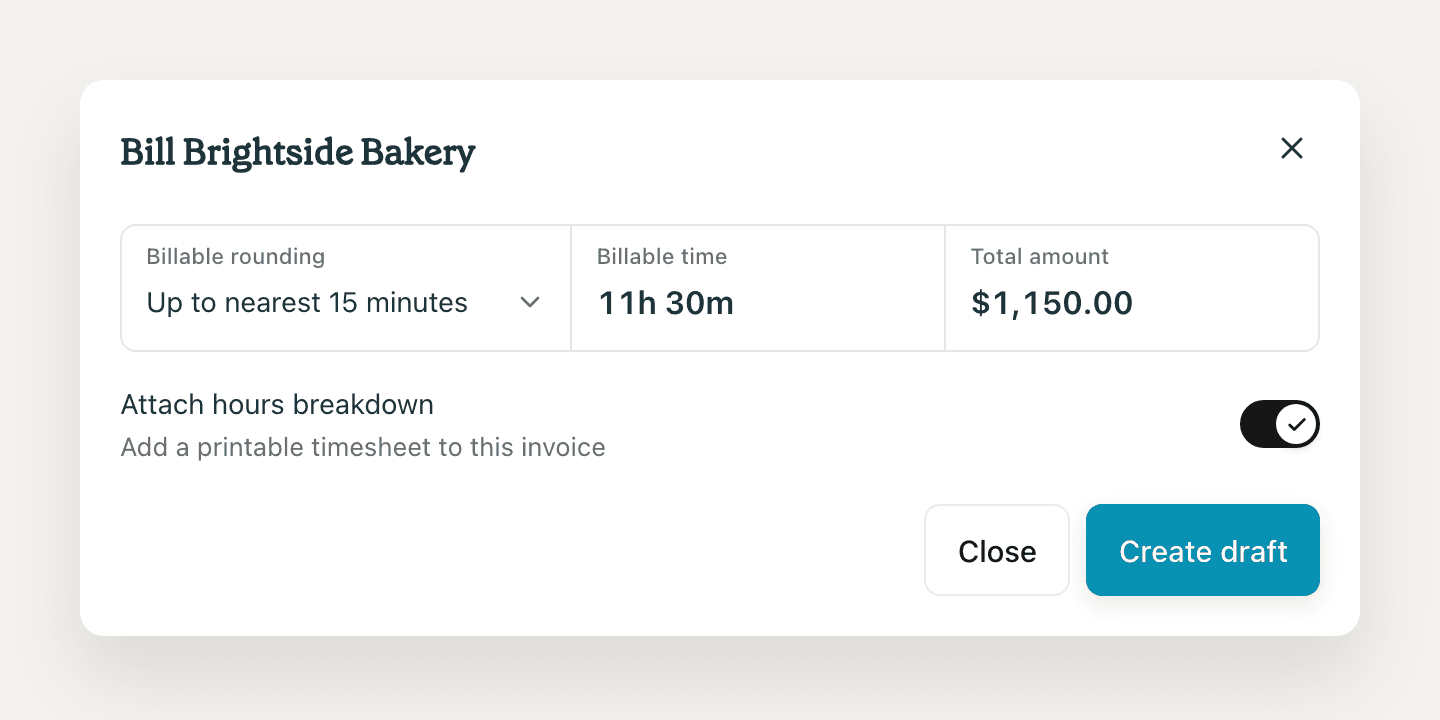
Ready to bill lists every client with unbilled time. Click Bill, choose how to round (up to the nearest 15 minutes by default), and Brisk creates a draft invoice with one line per day. Turn on Attach hours breakdown to add a printable timesheet to the invoice. Billed entries are marked, so nothing gets invoiced twice.
Already working on an invoice? Use Import time tracked in the invoice editor to pull hours in.
If you're new to billing by the hour, how to turn hours into an invoice clients will actually pay covers how to group and present them.
Share live hours with clients
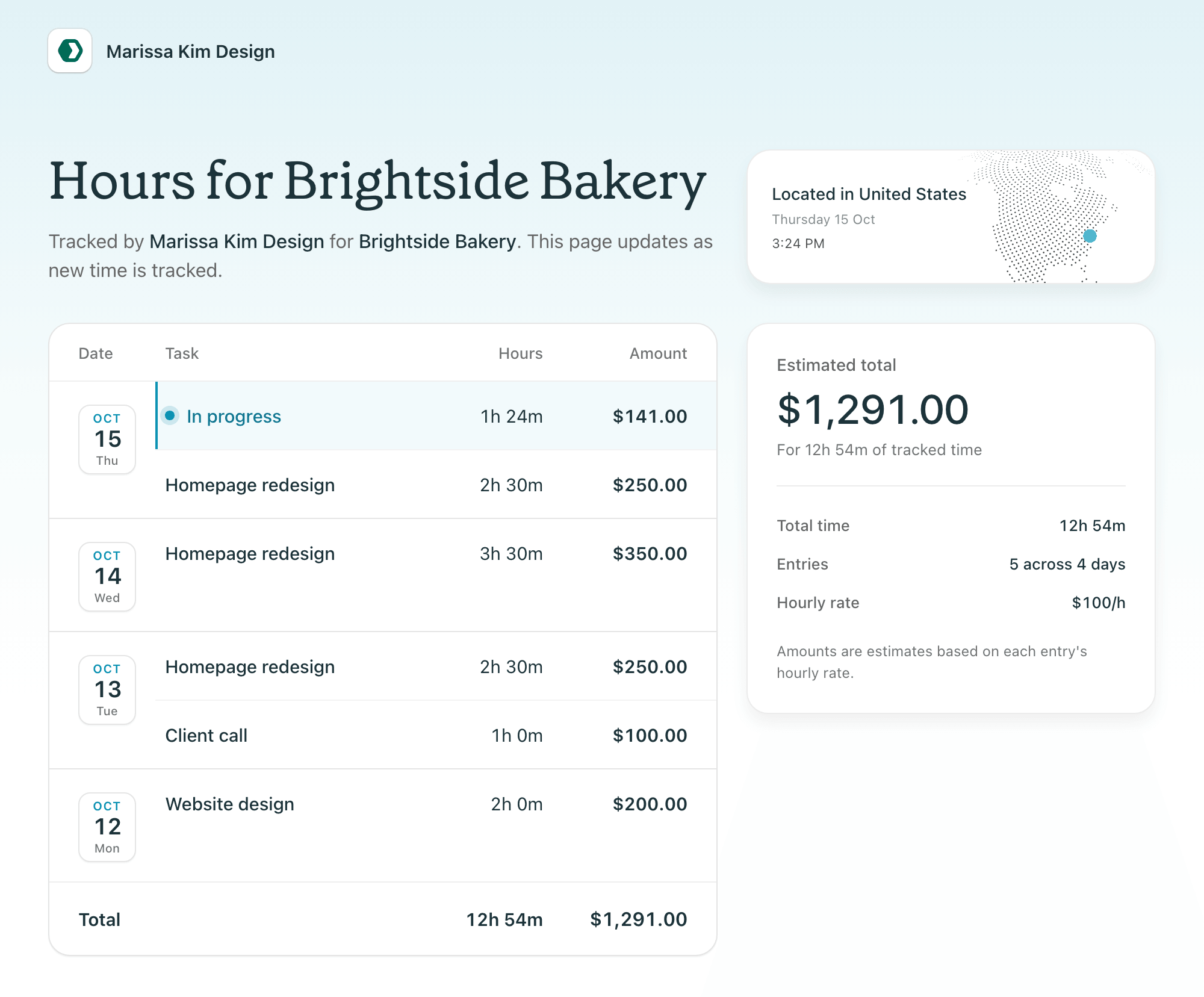
Copy a live hours link for any client. They see every entry, rate, and amount as you track, including the timer that's running right now. They don't need a Brisk account.
Export timesheets
Export a timesheet as PDF or CSV for a day, week, or month, for one client or all of them.
What "beta" means
The Tracker works today. Beta means we're still adding to it, and your feedback shapes what comes next. Tell us what's missing on the changelog and feedback board.
Try it
Open Tracker in the Brisk sidebar and start a timer on your next task. When the week is done, bill it from Ready to bill. Everything it does is on the time tracking page.
Start for free. No credit card needed.
Need a better way to manage your business?
Brisk handles the busywork, invoicing, reminders, follow ups, so you can focus on the work that actually pays.
Try Brisk for free
“It feels good to not have to worry about what happens if my accountant is unavailable, and I need to send an invoice asap. Great job!”
Florian Popescu, Senior Product Designer
Continue reading
More articles from the Brisk blog.