Brisk updates: reusable services, card payment, recurring invoices & more
Reusable services, Stripe card payments, recurring invoices, flexible payment instructions, and file attachments — the latest Brisk updates.
Published on
Written by

Balint Bogdan
Hey there, Brisk friends!
June has been a whirlwind of a month here at Brisk! We spent a lot of time chatting with you about the hurdles you face while managing your freelance business. You told us where things felt repetitive or clunky, and we listened. From quicker invoice creation to more ways to get paid, these updates are all about giving you your time back.
A huge thank you to everyone who shared their feedback: most of what you see below was built specifically because you asked for it!
📋 Reuse your most common services
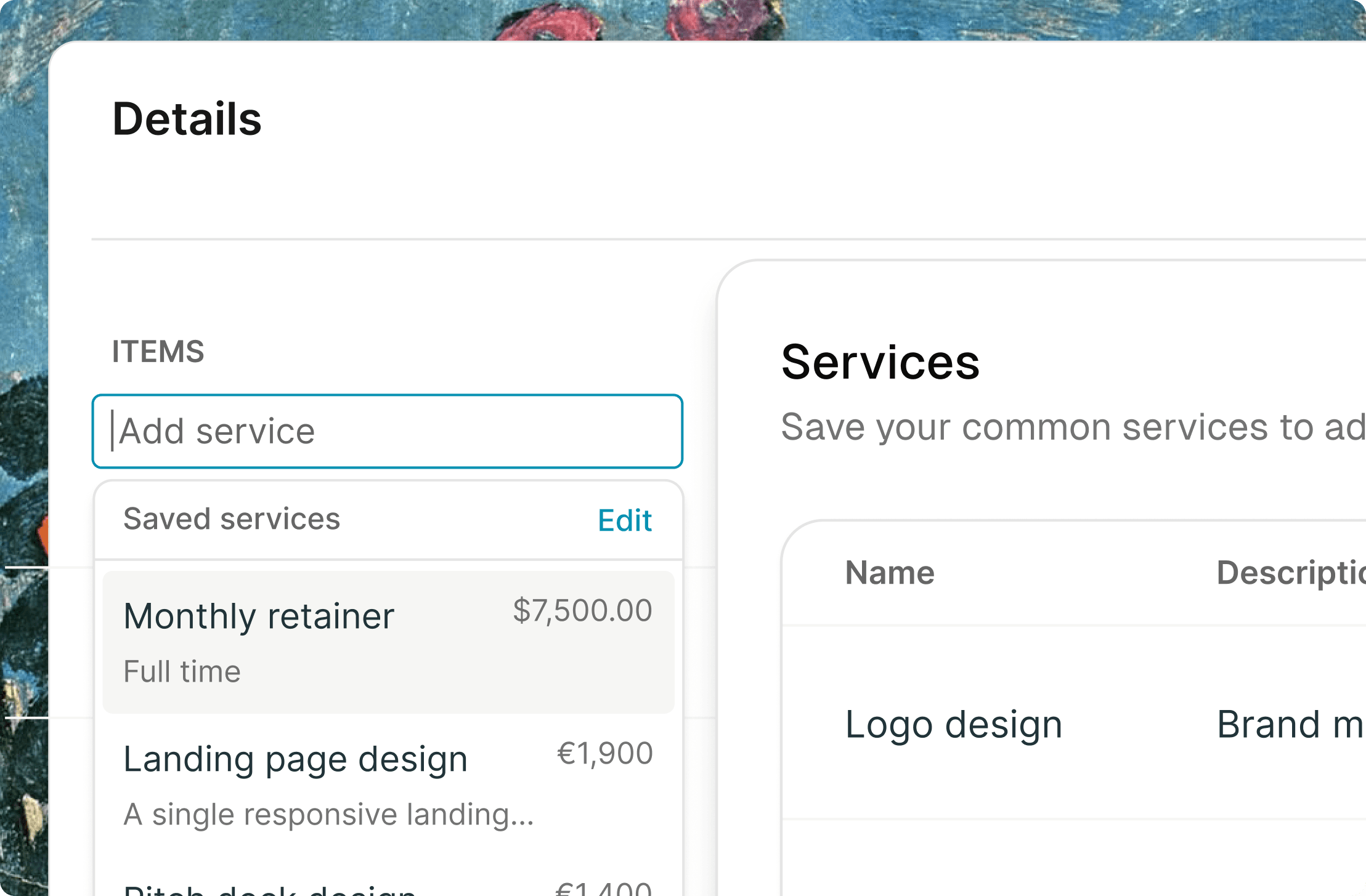
Stop typing the same descriptions over and over. You can now save your go-to services and pop them into any invoice with a single click.
- Save time Draft invoices in seconds, not minutes.
- Stay consistent Keep your pricing and descriptions uniform across all clients.
- Perfect for regulars Ideal if you offer set packages or hourly rates.
💳 Accept card payments via Stripe
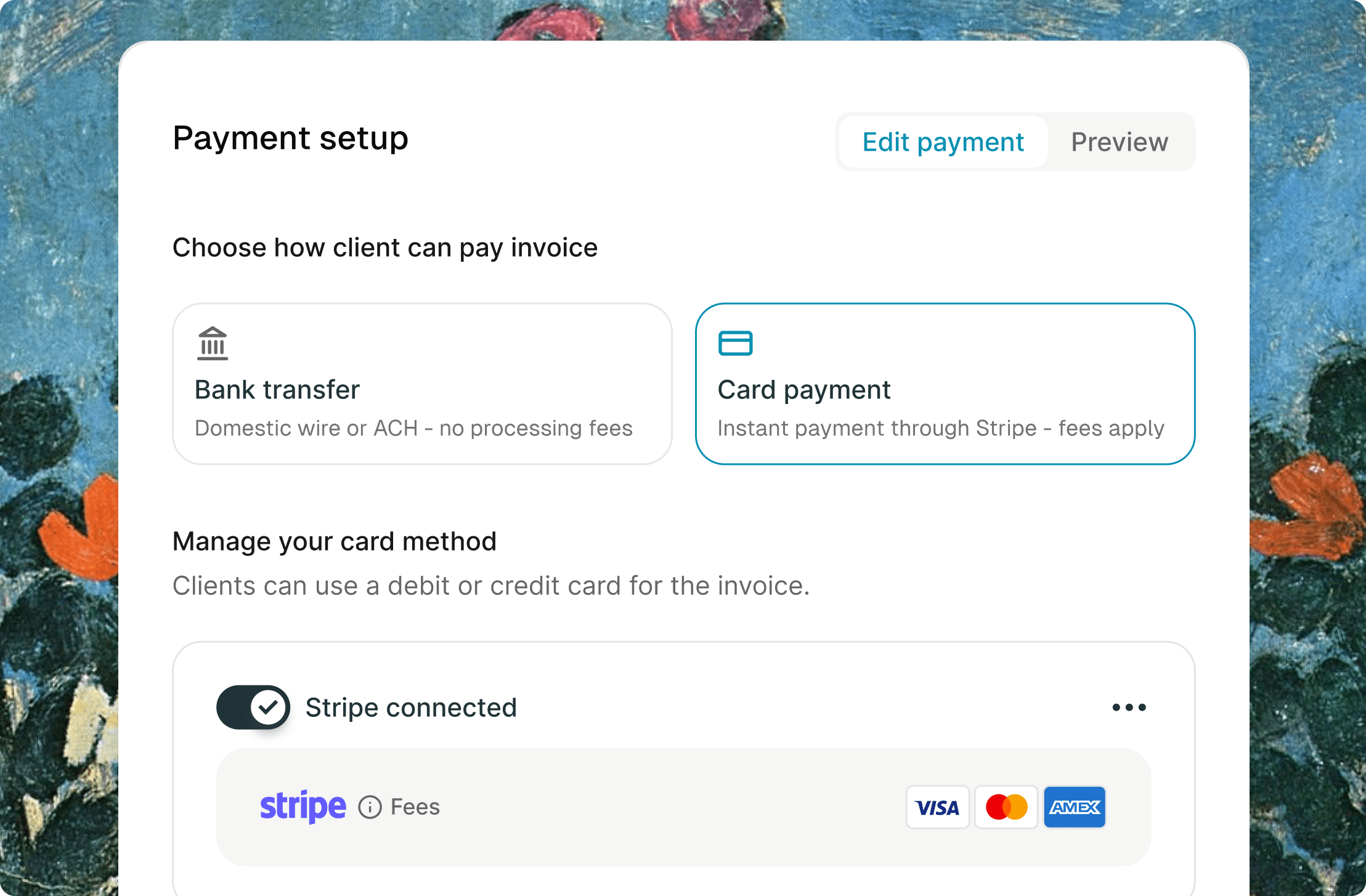
Make it as easy as possible for your clients to say "paid." By connecting your Stripe account, you can now accept secure card payments directly on your invoices.
- Get paid faster No more waiting for bank transfers to clear.
- Zero admin Brisk automatically marks the invoice as "Paid" the moment the transaction clears.
- Professional experience Offer your clients the modern checkout experience they expect.
🏦 Flexible payment instructions
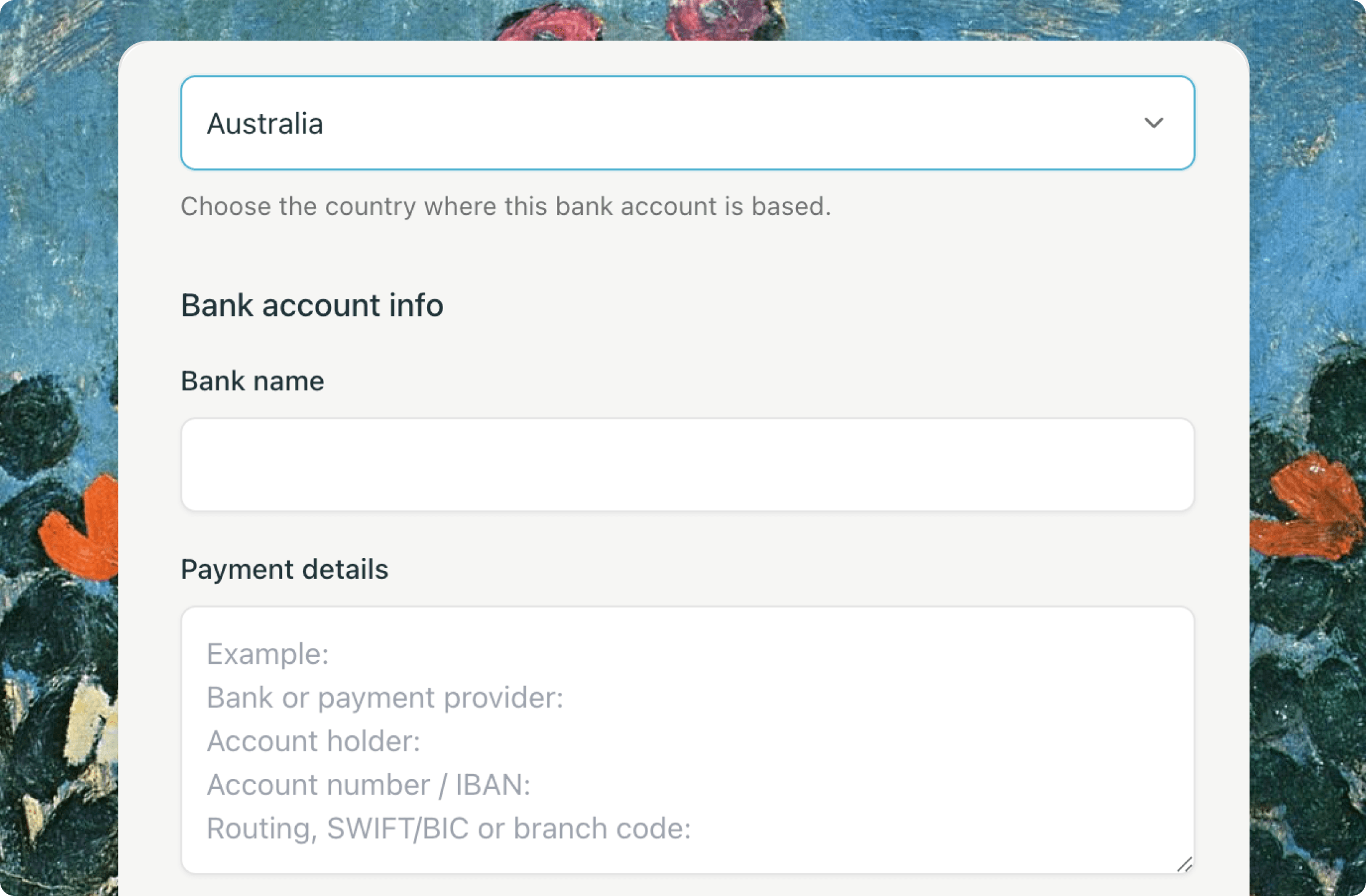
Managing international clients shouldn't be a headache. You can now add multiple, custom payment instructions to every invoice.
- Work globally Add local bank details, routing numbers, or PIX keys for different regions.
- Your way Include direct payment links or specific wire instructions.
- Clarity for clients Eliminate the back-and-forth emails asking "How do I pay this?"
🔁 Set it and forget it with recurring invoices
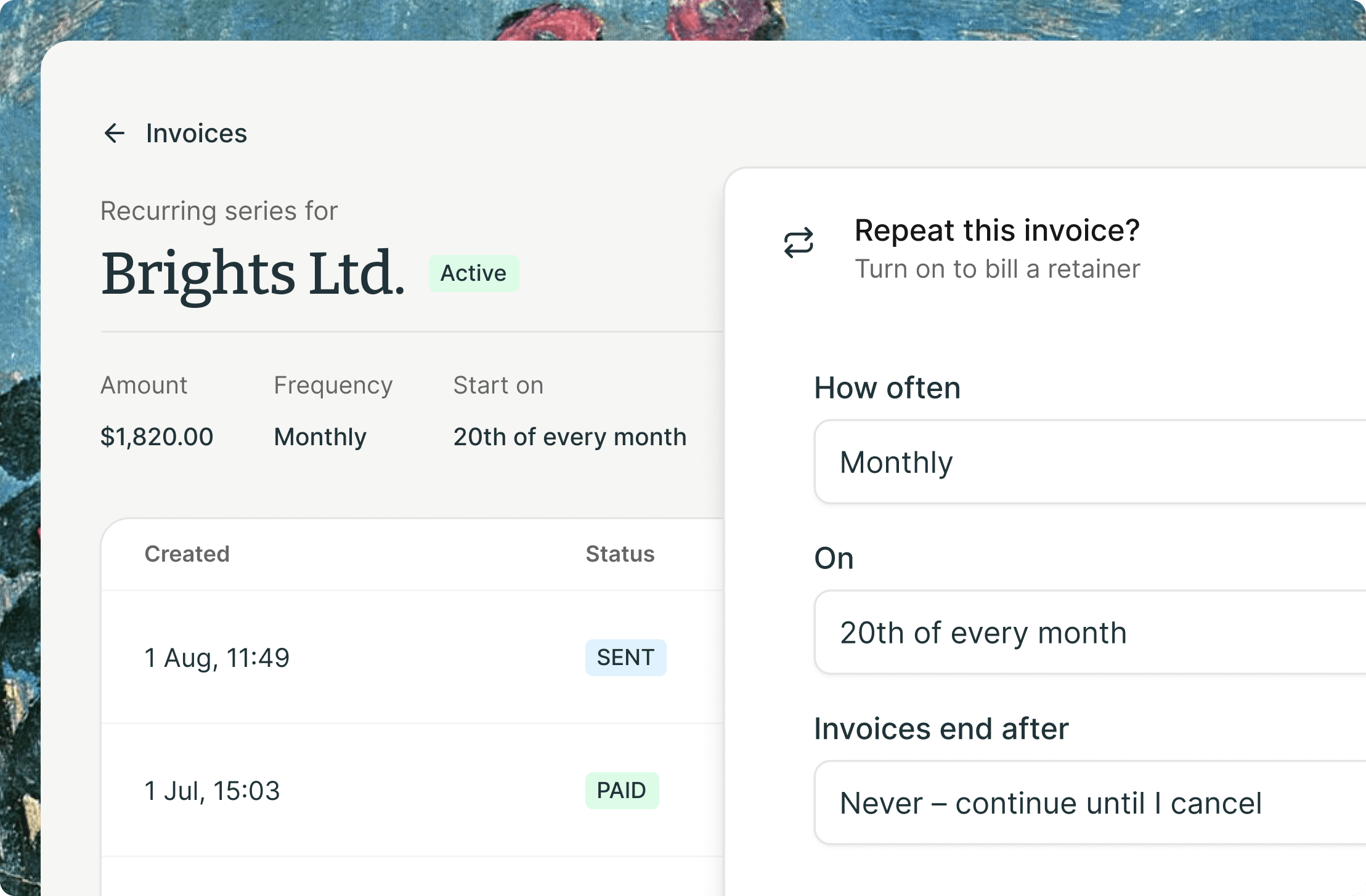
If you have ongoing retainer work, this one is for you. Create an invoice once, set the schedule, and let Brisk handle the rest.
- Hands-off billing Brisk generates the next invoice automatically based on your frequency.
- Never miss a bill Stop worrying about remembering to send that monthly invoice on the 1st.
📎 Attach supporting files
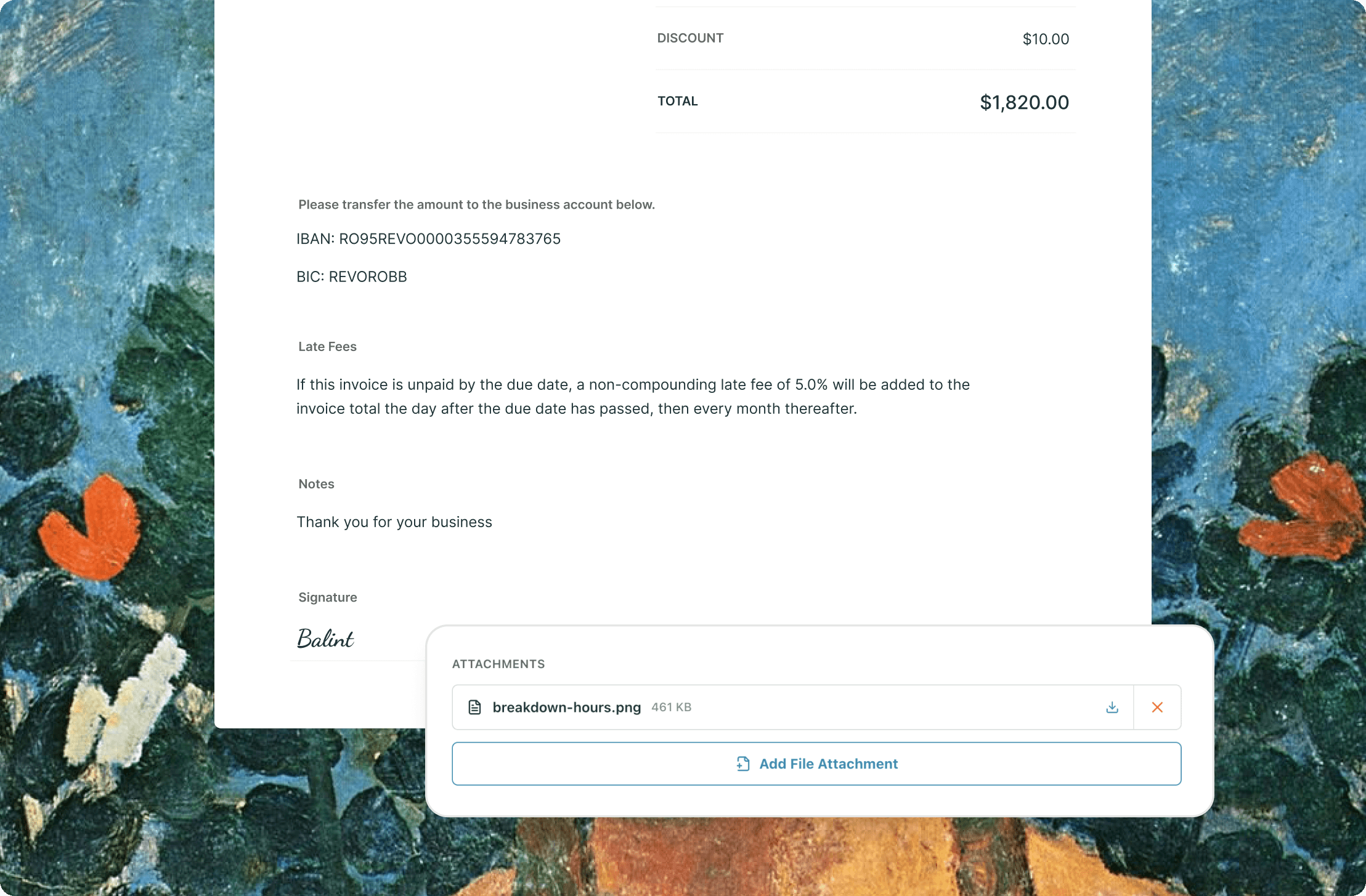
Sometimes an invoice needs a little extra context. Now you can attach files directly to your invoices so your clients have everything they need in one place.
- Full transparency Attach timesheets, expense receipts, or project reports.
- Fewer hurdles Give your client’s finance team all the proof they need to approve your payment instantly.
🚀 Coming soon: Contracts
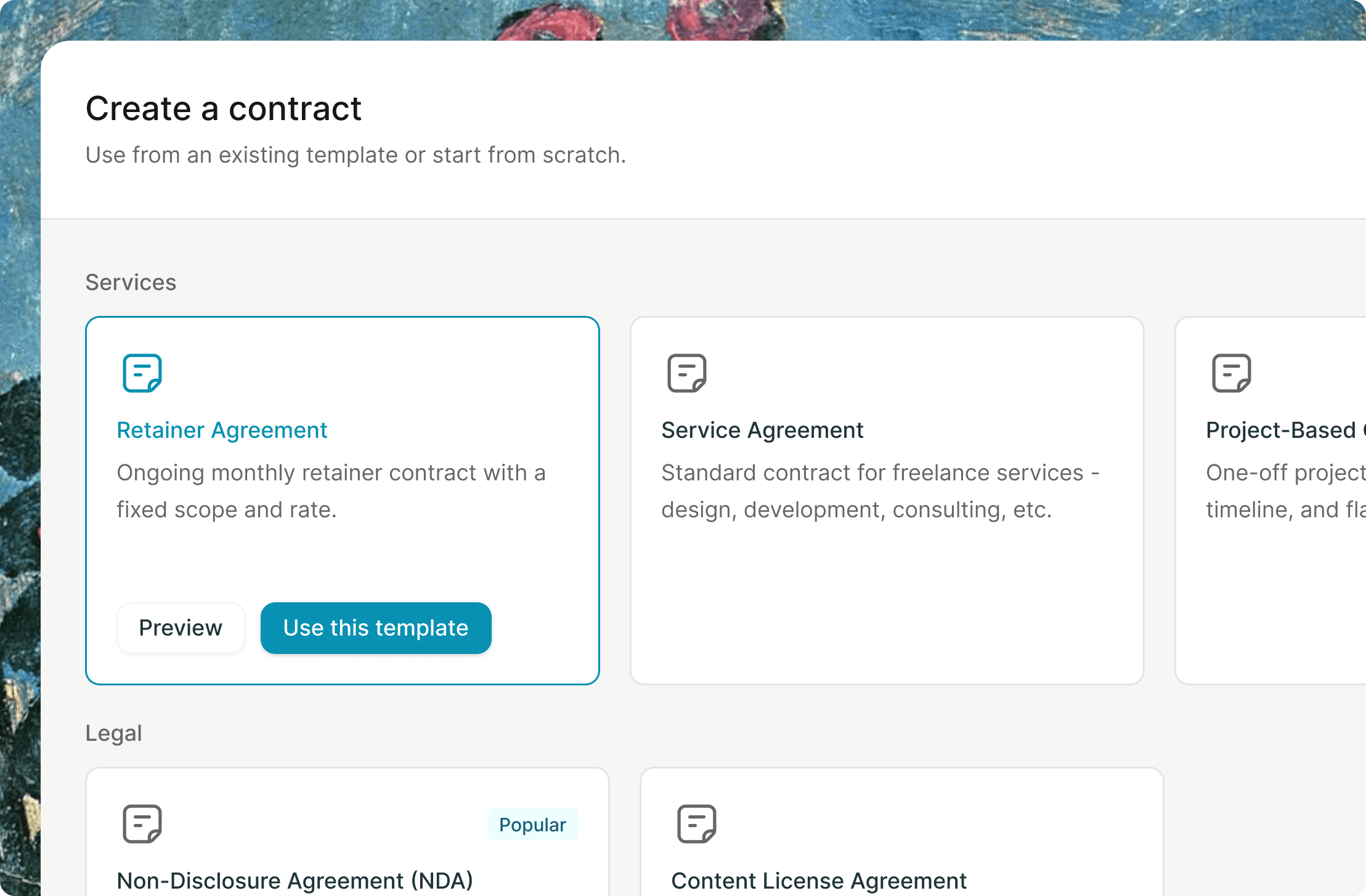
We’re currently heads-down building Contracts. Soon, Brisk will be your all-in-one shop to define your project scope, sign terms, and send invoices without jumping between three different apps. Stay tuned!
*Update: Contracts are now live, free while in beta.*
💖 Final words
Beyond the big features, we’ve polished up the dashboard and squashed a few bugs to make your experience even smoother. Every one of these changes helps turn Brisk into a more complete home for your freelance work.
Ready to see what’s new? Open your Brisk dashboard and take these features for a spin!
Thank you for being part of our community and helping us build a better way to work.
Need a better way to manage your business?
Brisk handles the busywork, invoicing, reminders, follow ups, so you can focus on the work that actually pays.
Try Brisk for free
“Brisk is definitely easier than creating invoices in Google Drive. I like that the invoice is a live link rather than another static PDF.”
Kate Nikles, Multidisciplinary Designer
Continue reading
More articles from the Brisk blog.