Contracts are here (and free while in beta)
Send freelance contracts from a template or your own text, let clients sign online, and turn a signed contract into a deposit invoice. Free while in beta.
Published on
Written by

Balint Bogdan
Contracts are in beta
A lot of invoice problems start before the invoice. The price was agreed on a call, the work started, and later nobody agrees on what was included or when the deposit was due.
So we built contracts. You can now send a contract from Brisk, have your client sign it online, and turn the signed contract into a deposit invoice — all before you start the work. Contracts are free for everyone while they're in beta, on top of everything in the Free plan.
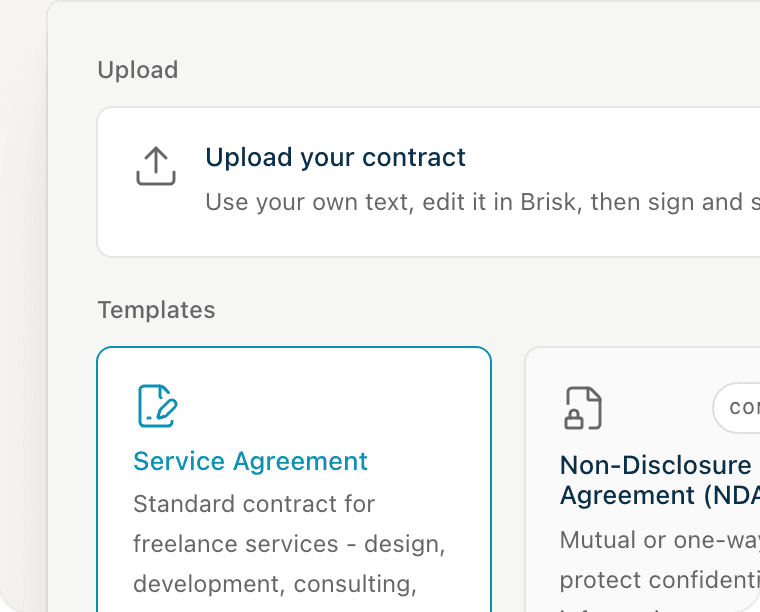
Start from a template, or your own wording
The Service Agreement is written for freelance design, development, and consulting work. Fill in the parties, scope, fee, and dates, and the terms are ready to send. Already have wording you trust? Upload your contract as a `.txt` or `.md` file and edit it in Brisk instead. An NDA and a Subcontractor Agreement are coming soon.
Terms in plain sentences
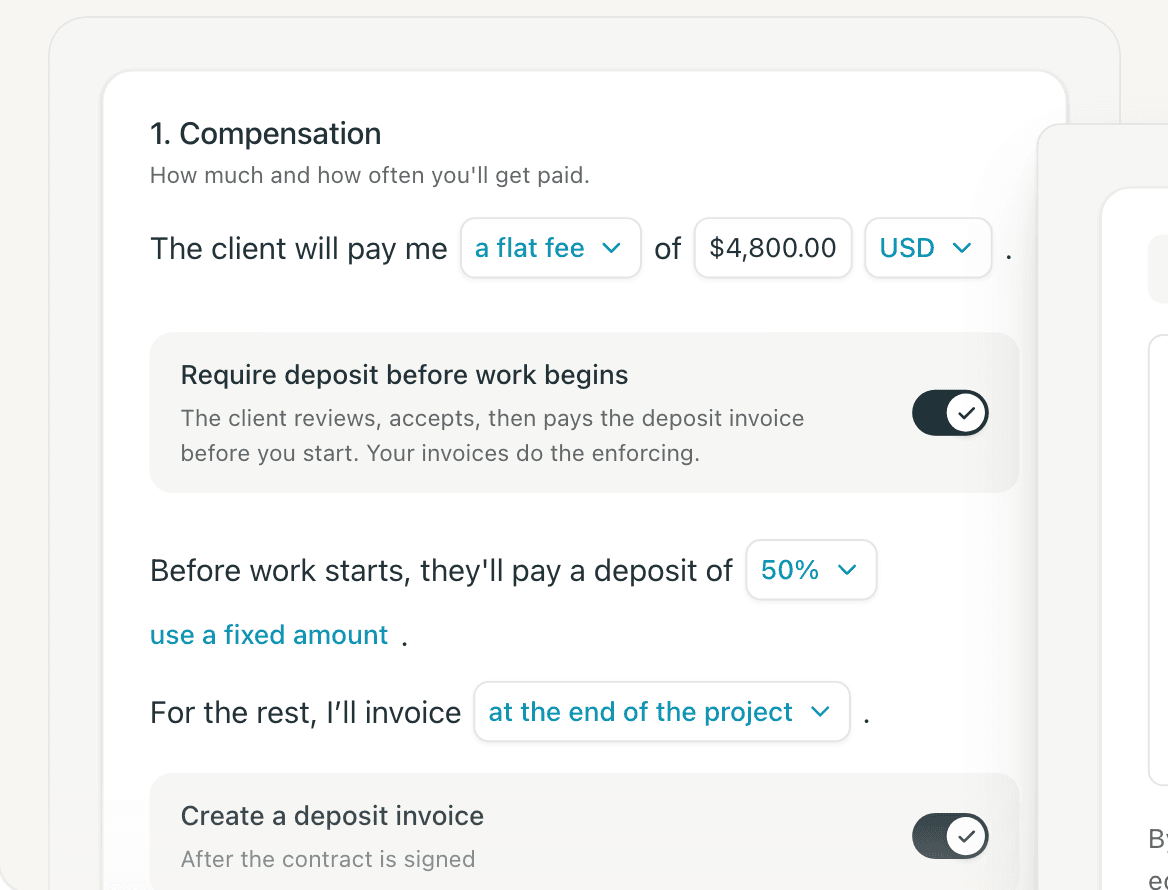
Fees, deposits, and payment terms read like sentences, not legalese: “The client will pay me a flat fee of $4,800. Before work starts, they'll pay a deposit of 50%. For the rest, I'll invoice at the end of the project.” Your client should be able to read the whole thing in one sitting.
Sign it, then send one link
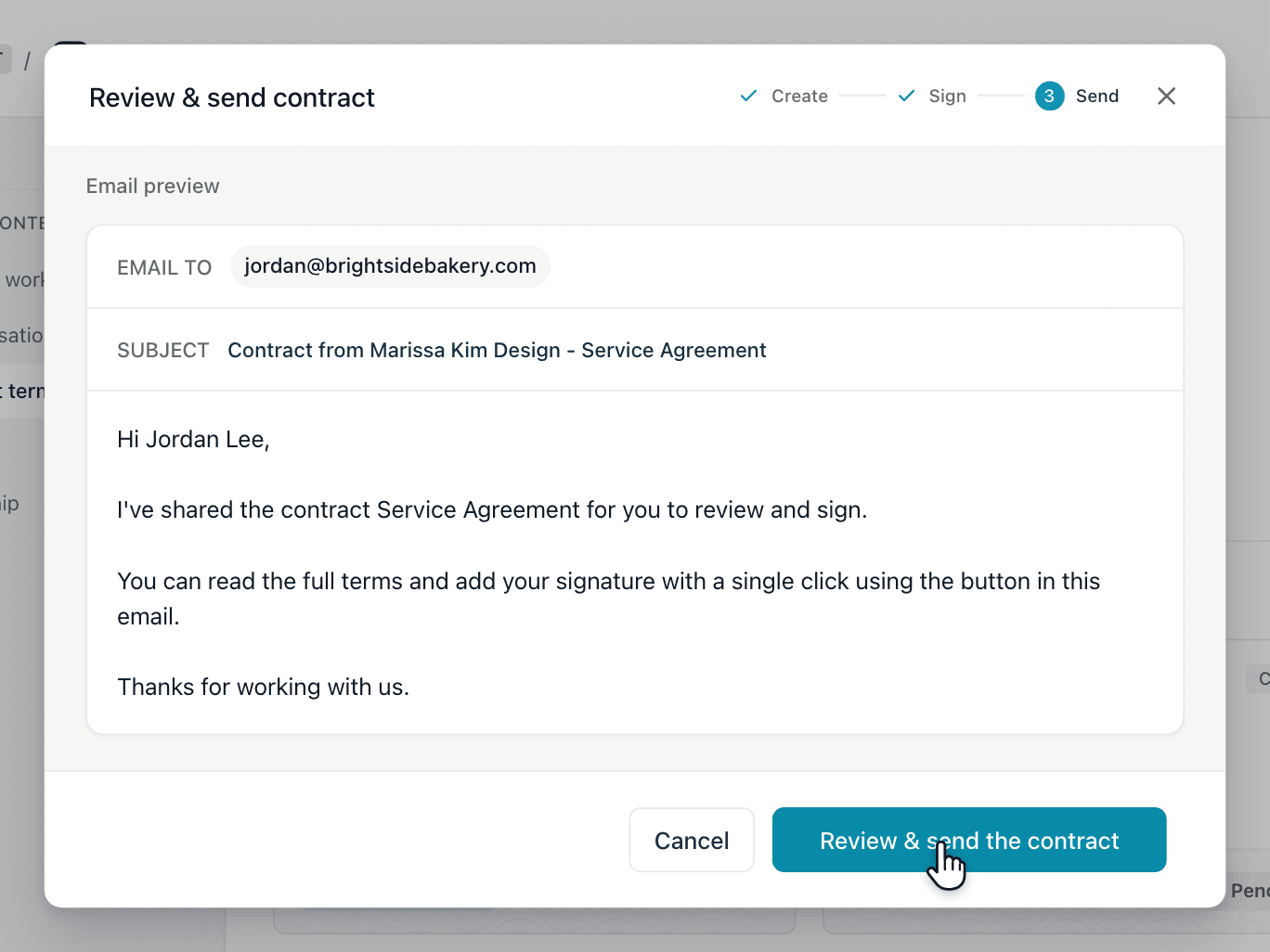
You sign first, so your client gets a contract that's ready to sign. Brisk shows you the email before it goes out.
Your client signs online
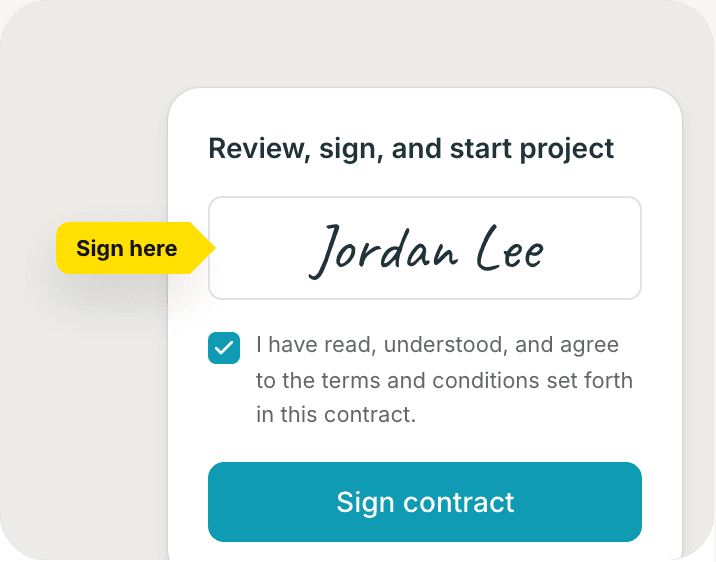
Your client opens the link, reads the contract, types their full legal name, agrees to the terms, and signs. They don't need a Brisk account.
See who has signed
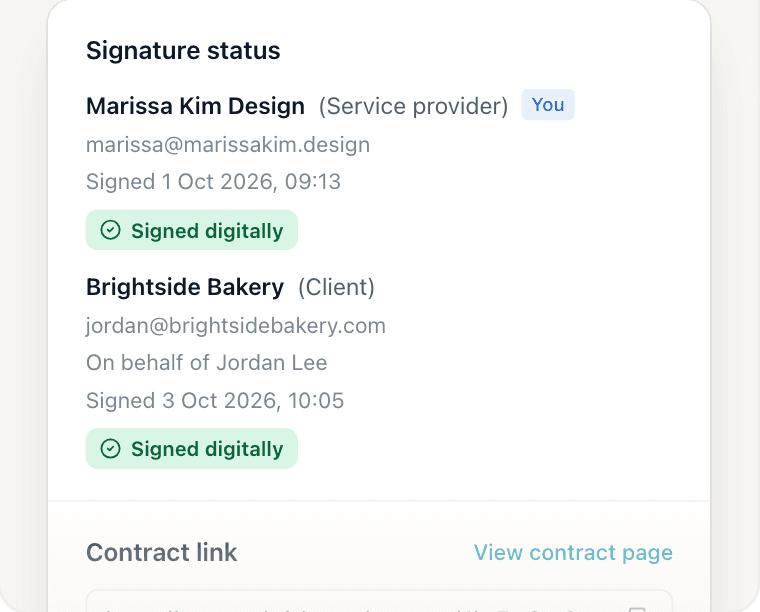
Every contract shows when it was sent, when it was first viewed, and when each side signed. Your contracts list shows whether each one is a draft, sent, viewed, accepted, or canceled.
Deposits, invoiced for you
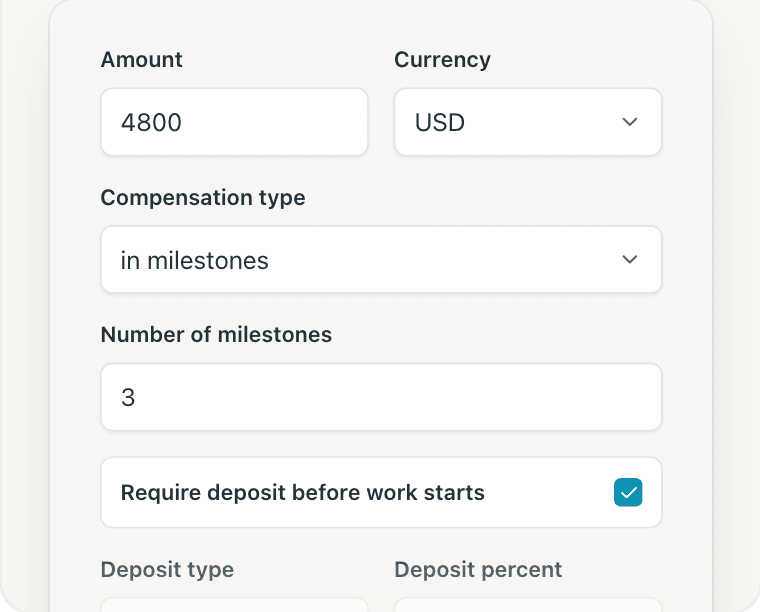
Set a deposit as 25%, 50%, or 100% of the fee, or a fixed amount, and choose how the rest is billed — at the end, or in milestones. Once the contract is signed, Brisk can create the deposit invoice for you.
Why contracts and invoices belong together
A contract is where the price, scope, and payment terms are agreed. An invoice is where they're collected. When they live in different tools, the numbers drift: the contract says a 50% deposit, the invoice says something else, and nobody notices until a client asks.
With both in Brisk, the deposit invoice comes from the signed contract. Same client, same fee, same terms.
If you're new to contracts, two posts are worth reading first:
- What every freelance contract should include — the clauses that prevent the most common disputes.
- Should freelancers ask for a deposit? — how much, and when.
Not ready to sign up? The free freelance contract template is the same Service Agreement, ready to copy.
What "beta" means
Contracts work today. Beta means we're still adding to them, and your feedback shapes what comes next. Coming soon:
- More templates an NDA and a Subcontractor Agreement.
- More polish based on what you tell us.
Contracts are free while in beta. If that changes, we'll say so clearly and well in advance.
Try it
Open Contracts in Brisk, create one from the Service Agreement, and send it to your next client. If something feels off or missing, tell us in the changelog and feedback board — we read everything.
See how contracts work or start for free. No credit card needed.
Need a better way to manage your business?
Brisk handles the busywork, invoicing, reminders, follow ups, so you can focus on the work that actually pays.
Try Brisk for free
“The onboarding is super quick and doesn't overwhelm you. The UX feels really well thought out and consistent.”
Adi Chawla, Product Designer
Continue reading
More articles from the Brisk blog.